A code editor control,
drawn on canvas.
Monospace, fixed character grid, canvas-rendered — a fast, extensible code editor control for Avalonia. Folding, CodeLens, column selection, pluggable gutters, context popovers, and TextMate highlighting with drop-in custom languages.
dotnet add package AvaCodeEditor
Latest version: 12.0.0 · built for Avalonia 12
Half a minute, every headline feature
Folding, CodeLens, breakpoints, column selection, a million lines and a blame column that arrives late — recorded from the demo below, nothing staged.
No narration, no cuts to a slide: every frame is the control running in a browser tab.
Built to be extended
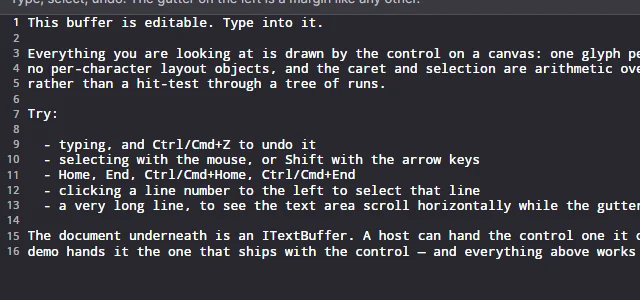
Canvas glyph-grid rendering
Every glyph occupies exactly one cell — text↔pixel mapping is pure arithmetic. No per-character UI objects; large files stay fast.
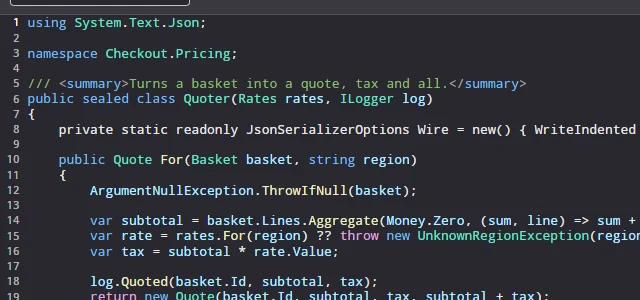
Extensible highlighting
TextMate grammars with scope-based theming. Add your own language by dropping in a .tmLanguage.json — no recompilation.
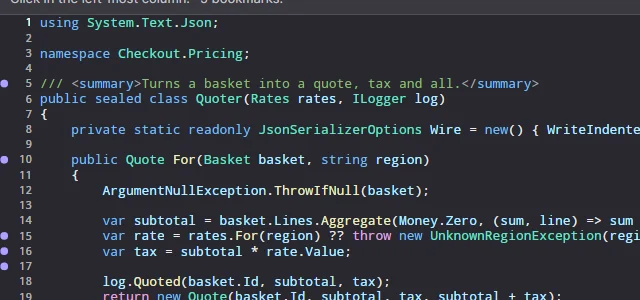
Pluggable margins
Line numbers, change markers, git blame — gutters are host-provided components composed by the editor.
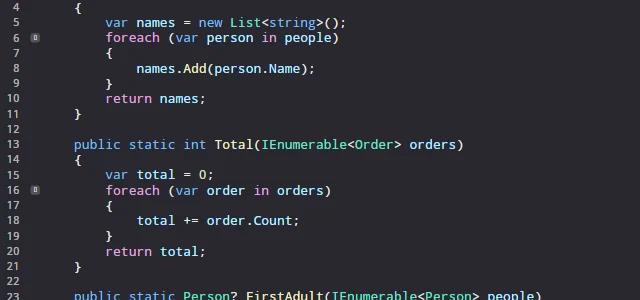
Inline action buttons
Anchor buttons to line blocks — like the ≫ / ≪ merge buttons in diff tools — rendered and hit-tested by the editor, defined by your app.
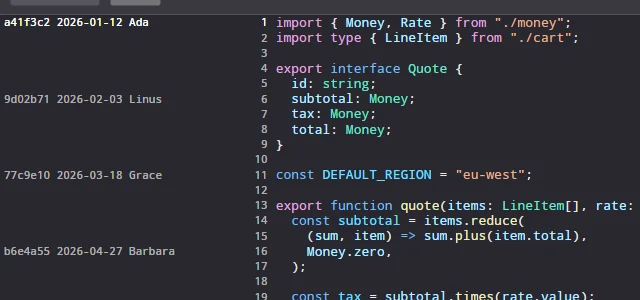
Line annotations
Per-line metadata — who changed this line, and when — arriving asynchronously into a column of declared width, so the text never shifts sideways when a longer name scrolls into view. One label per run of like lines; the whole of it in a tooltip on every line.
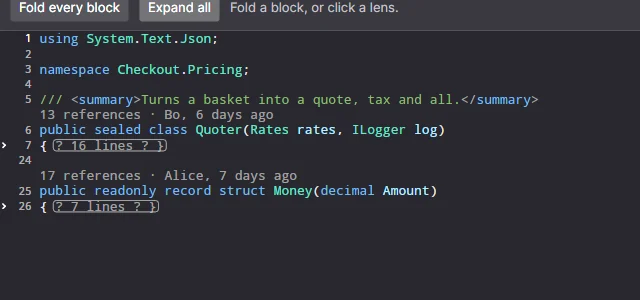
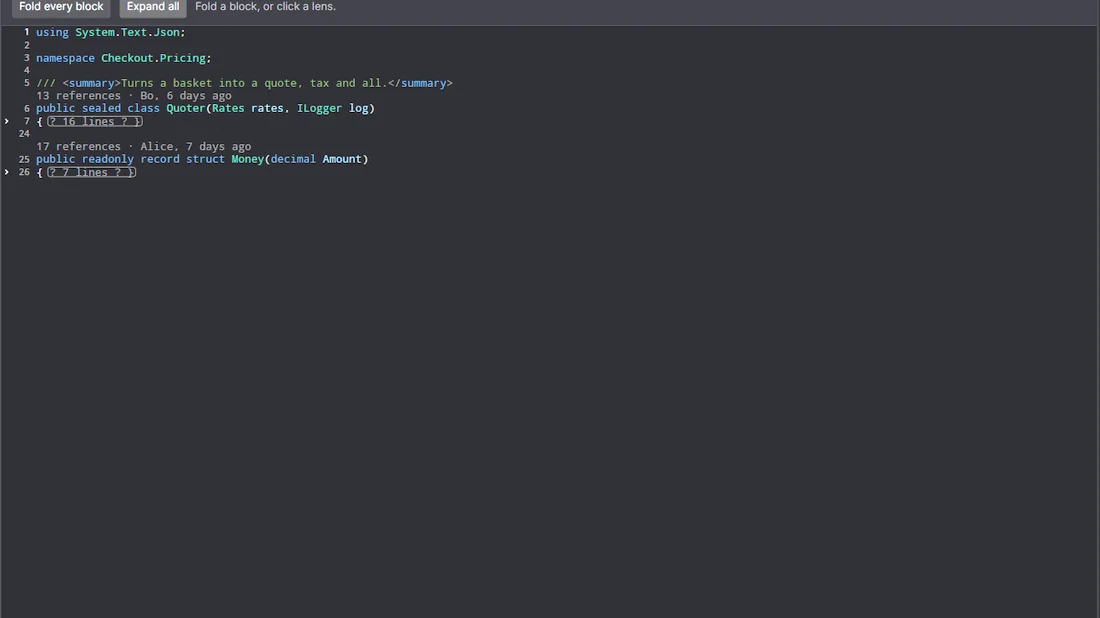
Folding and CodeLens
Collapse a region into its first line, and put a clickable row of information above a declaration. Screen rows and document lines stop being the same thing — and the caret, the gutter and every click follow.
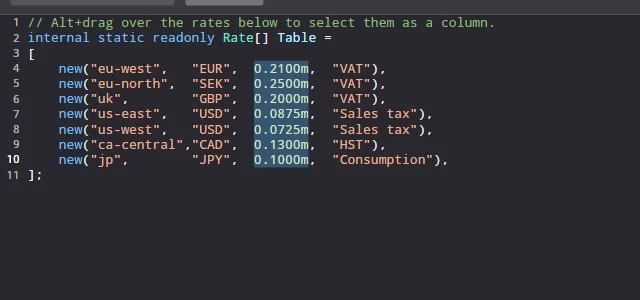
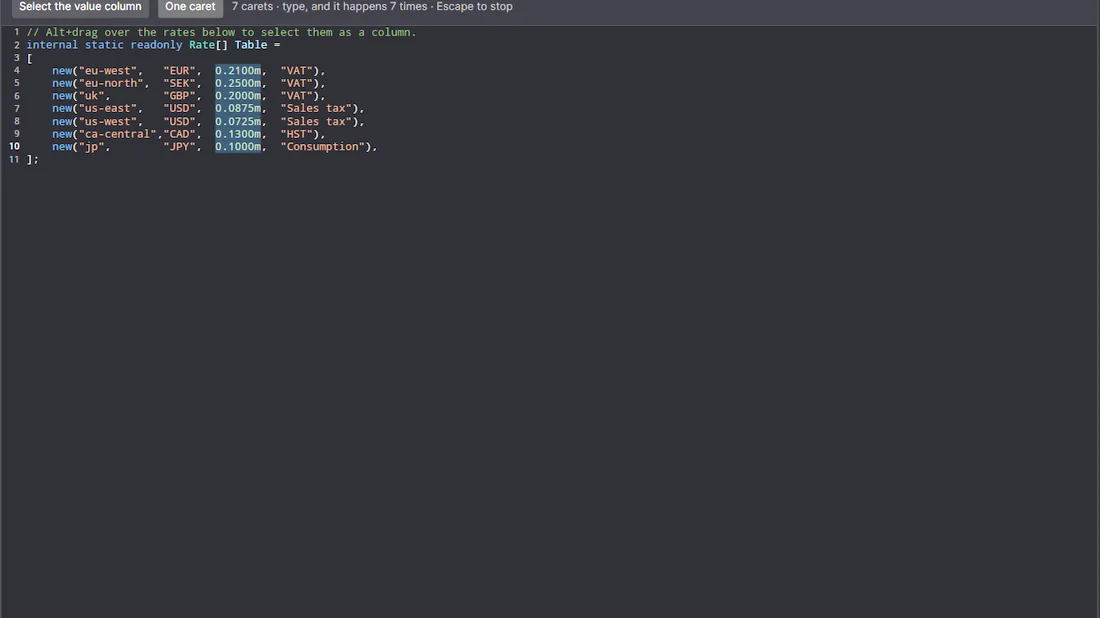
Columns and many carets
Alt+drag a rectangle or Shift+Alt+arrow one open: a caret per line, edits applied at all of them as a single undo step, and copying a column gives you the column.
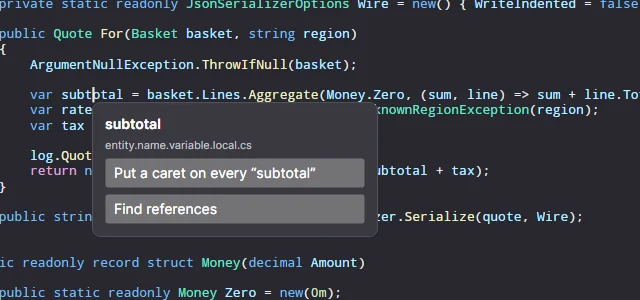
Context popovers
Right-click and the editor tells you the position, the word, the selection and the TextMate scopes under it, then anchors whatever control you hand back to that character cell.
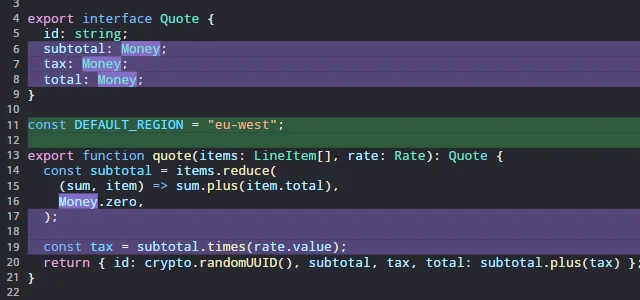
Bands and highlights
Paint behind whole lines — a diff's added, removed and conflicting bands — and behind runs of characters inside one, for the words that actually changed.
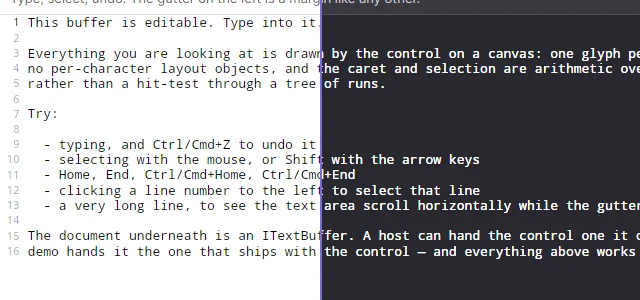
Light & dark themes
Theme files map token scopes to styles; switching themes never re-tokenizes the document. User-supplied themes welcome.
Gutters that fail safely
A margin is your code, called on every frame. One that throws costs its own column and raises MarginFailed — never the editor, and never the unsaved document in it.
Three lines to a code editor
The control is a control. Put it in a window, give it a buffer, and you have an editor with a caret, a selection, undo and a fixed character grid.
<Window xmlns:editor="using:AvaCodeEditor">
  <editor:CodeEditor x:Name="Editor" />
</Window>
Editor.Buffer = new TextBuffer(File.ReadAllText(path));
Editor.Margins.Add(new LineNumberMargin());
// Highlighting: a grammar chosen by file name, a theme chosen by appearance.
var languages = new TextMateLanguageRegistry();
Editor.SyntaxTokenizer = languages.FindByFileName(path)?.CreateTokenizer();
Editor.HighlightTheme = languages.LoadTheme(ThemeName.DarkPlus);Everything past that is an interface you implement: the editor knows nothing about diffs, git or your domain, and never will.
Run the demo
A themed sample app ships with every release, in the same repository as the packages. Twelve scenarios, each one a small file you can read — the code below the window is the whole of what makes it work.
Editing
Caret, selection, undo, and a document you type into.
Syntax highlighting
Four languages in one editor, the grammar chosen by file name.
A margin of your own
A bookmark gutter in forty lines — reserve a width, draw, hit-test.
Actions on a block
Buttons anchored to ranges of lines that rewrite the code under them.
Annotations, arriving late
A blame column that is empty, and then is not — the async case, on purpose.
Bands and highlights
Colour behind whole lines, and behind runs of characters inside one.
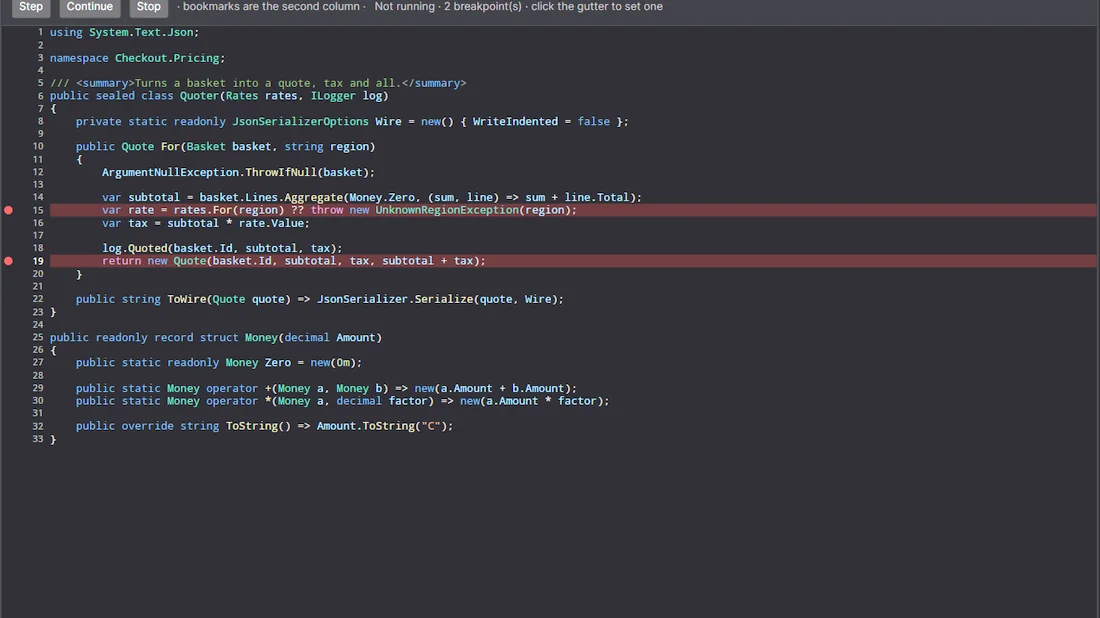
Breakpoints and the current line
A debugger's editor: a red dot in the gutter, the next statement banded yellow with the arrow beside it.
Regions and CodeLens
Chevrons that fold a block into its first line, and a clickable row of references and authorship above each declaration.
Columns and many carets
Alt+drag a rectangle, get a caret per line, and type into all of them as one undo step.
A popover of your own
Right-click, and the editor hands you the word, the selection and the syntax scopes — you decide what to show.
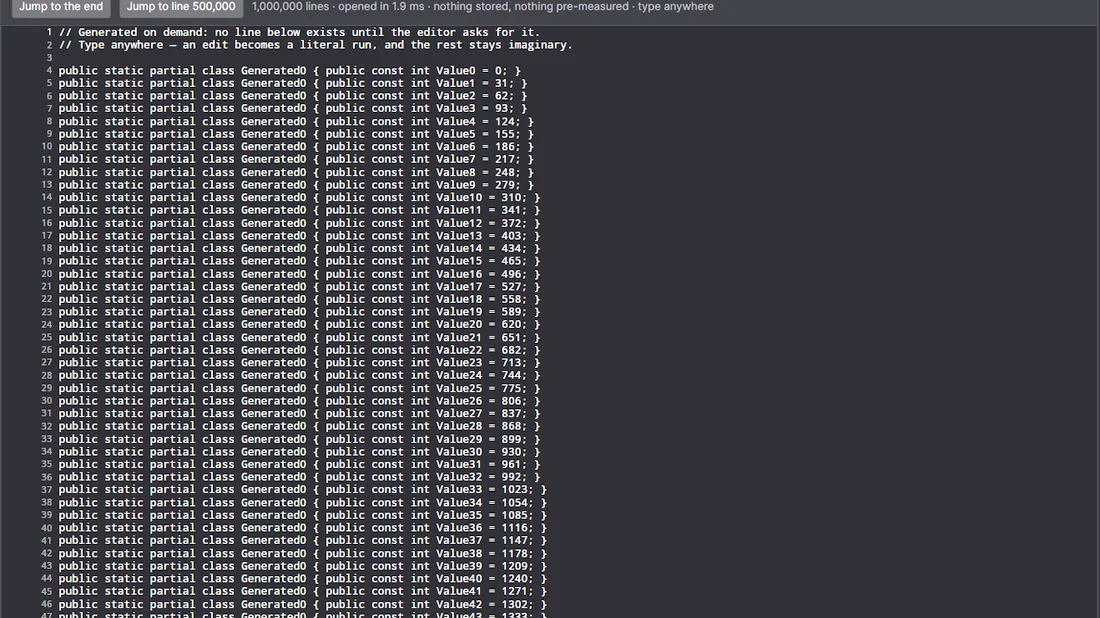
A million lines
Opened instantly, and editable: the demo's buffer composes a line when the editor asks for it.
Themes, and overriding them
Light and dark, and a host that disagrees winning on its own resource keys.
The demo builds against the published package, not against a copy of the source — so if a release is broken, the demo says so.
Documentation
Getting started, the document model, and the extensibility interfaces.