A 3D viewport for Avalonia that actually works everywhere.
Metallic-roughness PBR, shadows, HDR, glTF loading and triangle-accurate picking, in one control that renders through
Metal or Vulkan on a Mac, OpenGL or Vulkan on Windows and Linux, WebGL 2 in a browser tab, and the CPU
when a host offers no GPU at all — chosen at runtime, from the same binary.
Install the packagedotnet add package Ava3DControl --prerelease
Download the demogit clone https://github.com/pavel-zheltiakov/Ava3DControl.git
This is a beta.12.1.0-preview.14 is a NuGet prerelease, which is why the
flag is there. Everything below was measured on the code you would install; the suffix is there because
the API may still move in response to the first people to use it.
Behind the title: one frame of Contact, the sixty-second film the demo ships with, darkened so the
words sit on it. Nothing else was done to it. The scenes are further down.
The story, in fourteen pictures
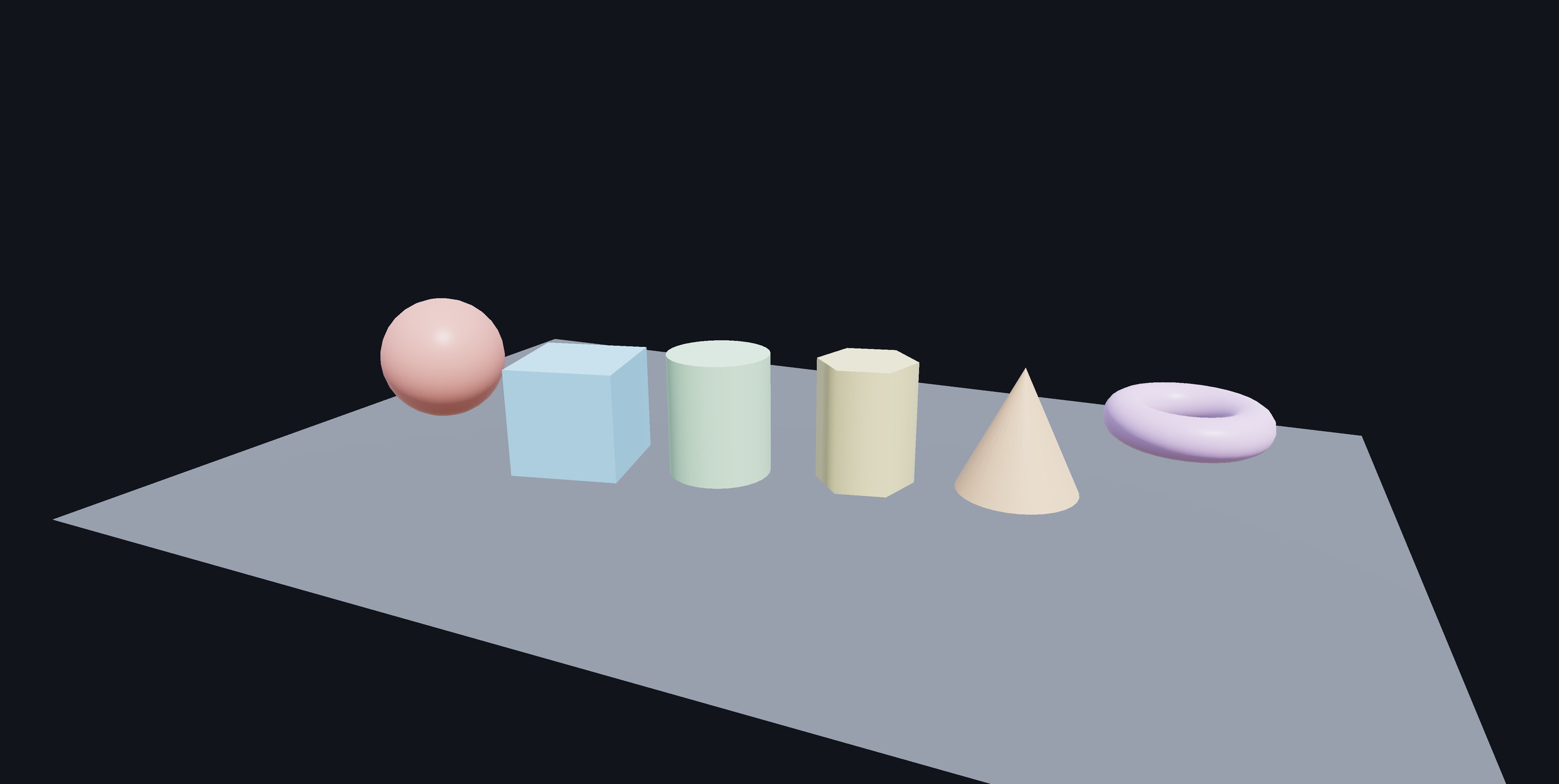
1 · It is a control, not a window
Four lines to a lit, orbitable scene: a mesh, a material, a node, done. It composites like any
other Avalonia control — clipping, opacity, z-order and transforms all behave, because it draws
into its own framebuffer and hands Skia an image rather than punching a hole through the window.
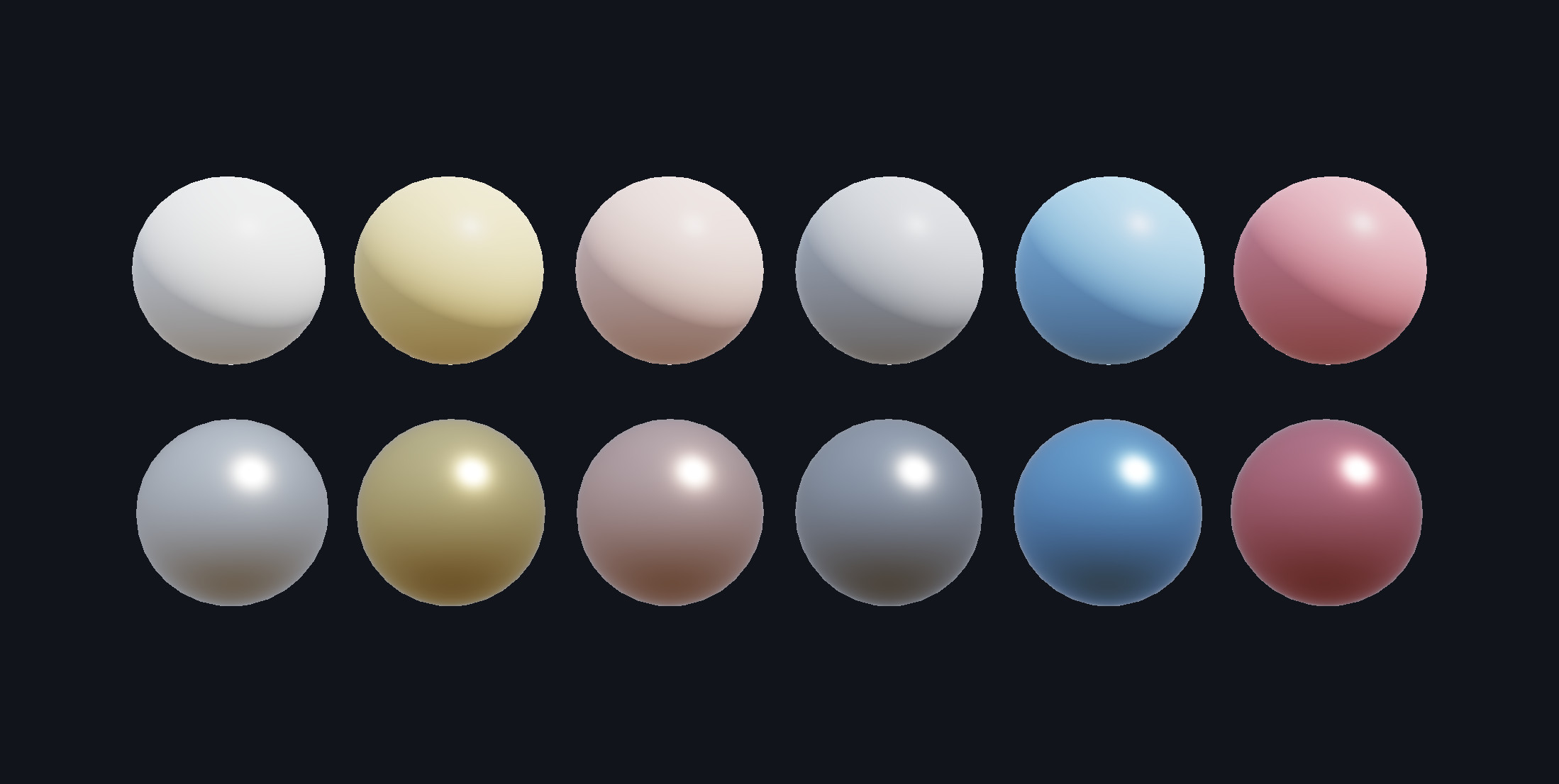
2 · Metals are not just shiny plastic
The same six colours twice. Above, Metallic = 0: the colour is diffuse albedo and the
highlight is white. Below, Metallic = 1: no diffuse term at all, so the colour has
become the tint of the reflection. That is why the gold reads as gold, and why a metal in an empty
room reads as black.
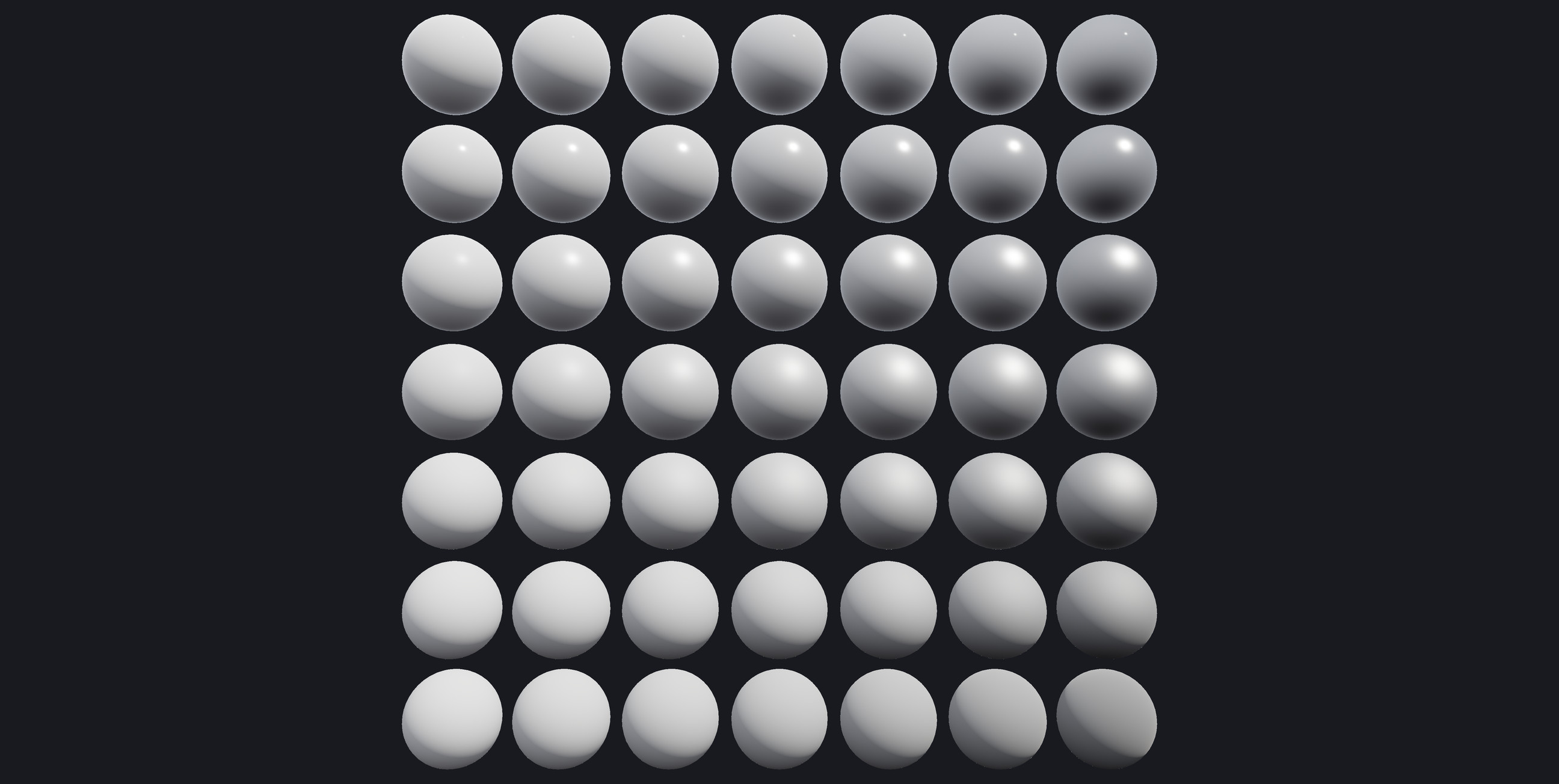
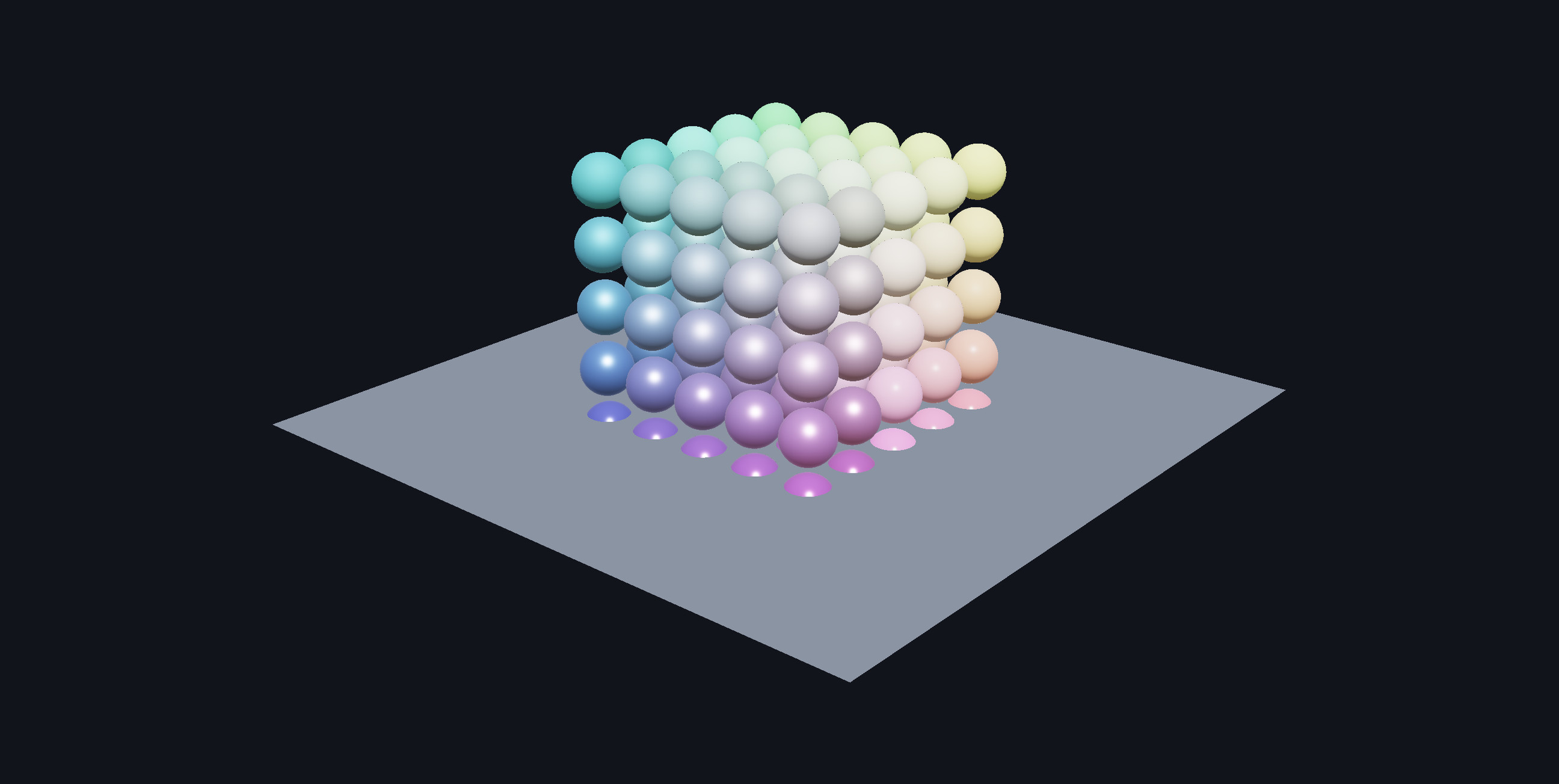
3 · The chart every PBR renderer should be able to draw
Metallic across, roughness down, one base colour, no textures. Read the corners: polished plastic,
near-mirror metal, chalk, brushed steel. The reflected horizon blurring away down the right-hand
column is the roughness axis — GGX with height-correlated Smith visibility and Schlick
Fresnel, the same arithmetic on all three renderers.
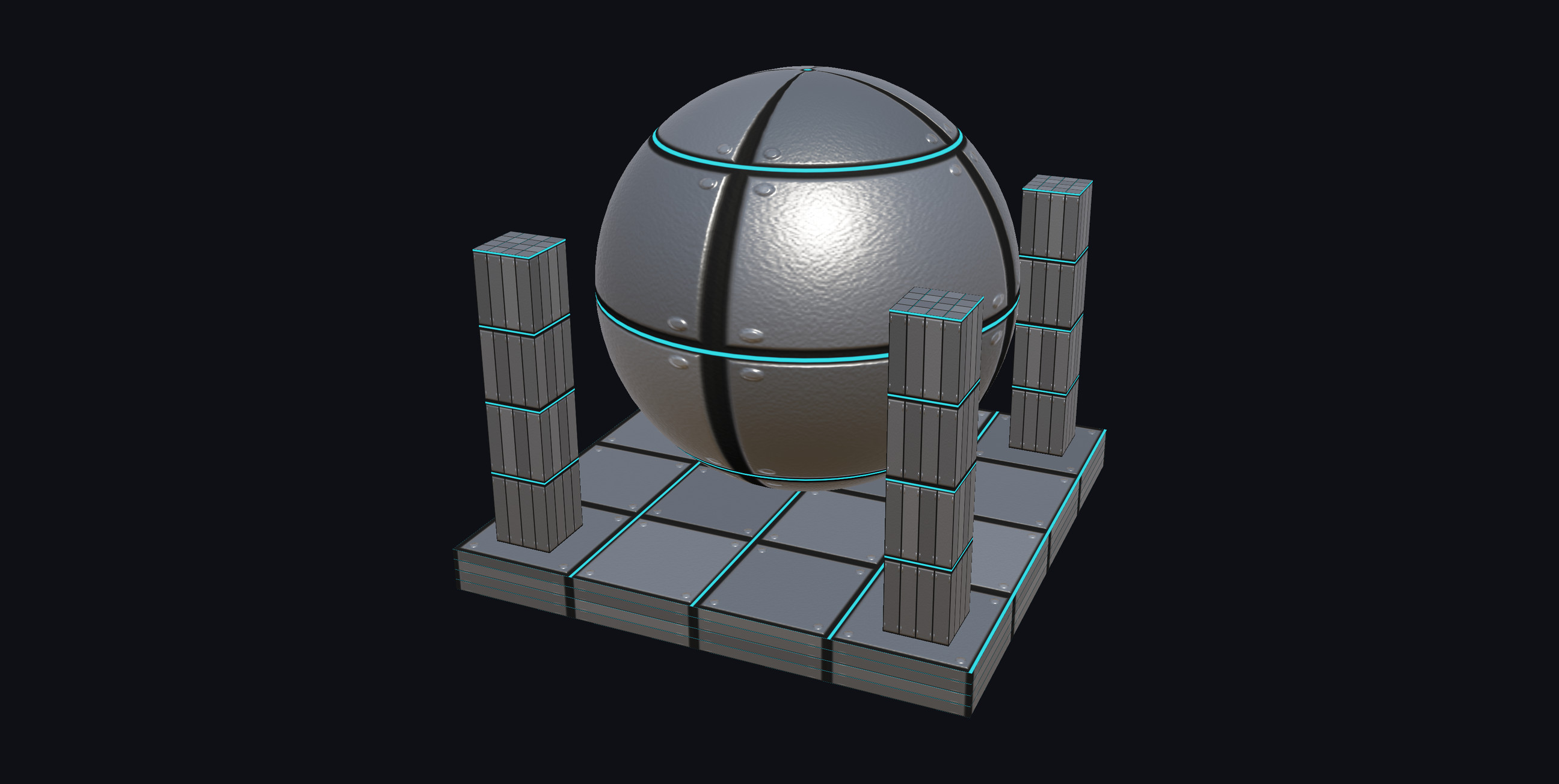
4 · Five texture channels, no asset pipeline
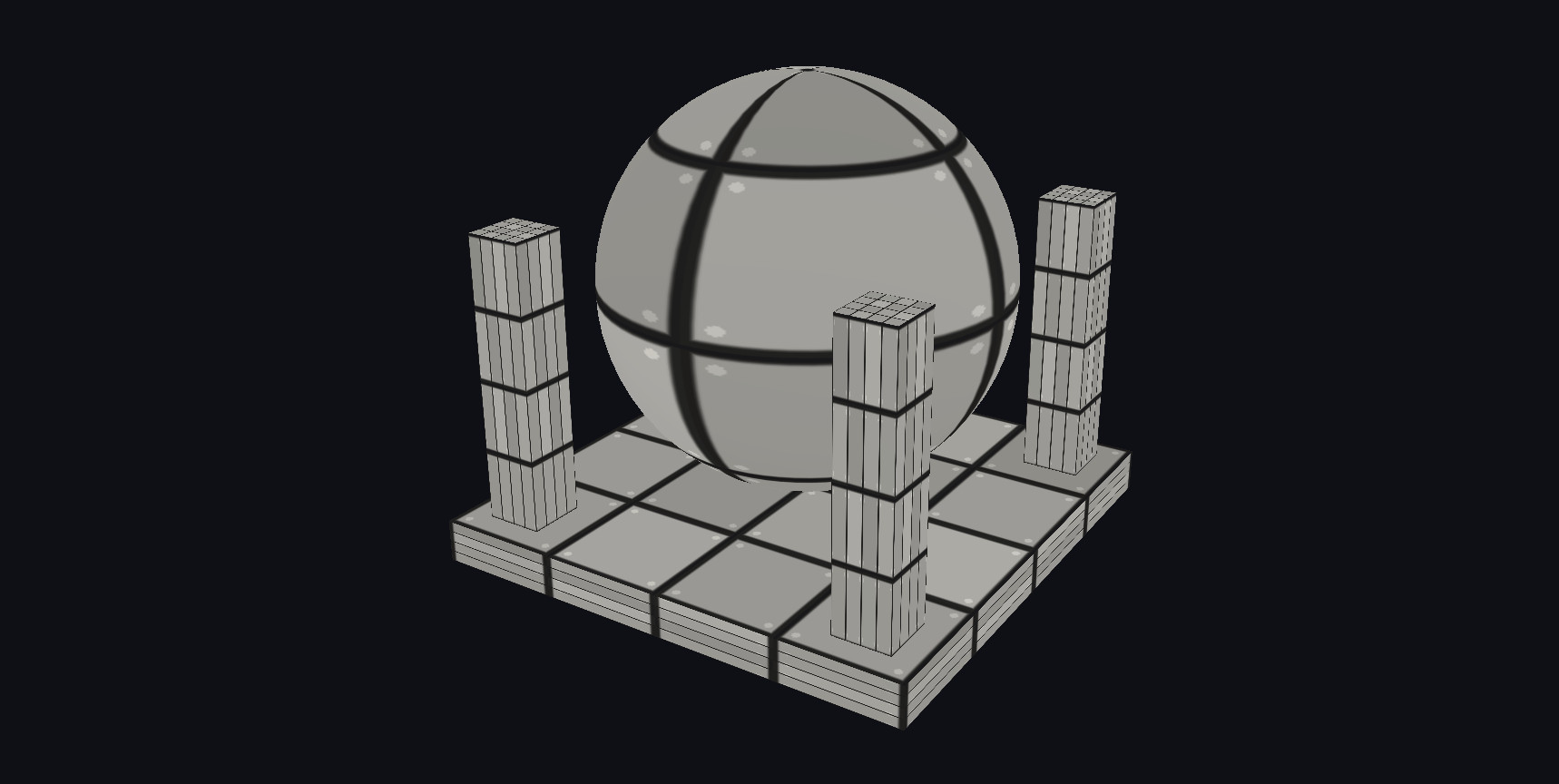
Base colour, metallic-roughness, normal, emissive and occlusion — all generated in about two
hundred lines from one height field, which is why the plates, the grooves and the rivets agree with
each other. The cyan seams stay lit as they rotate into shadow; the rivets are shading, not
geometry, and the silhouette proves it.
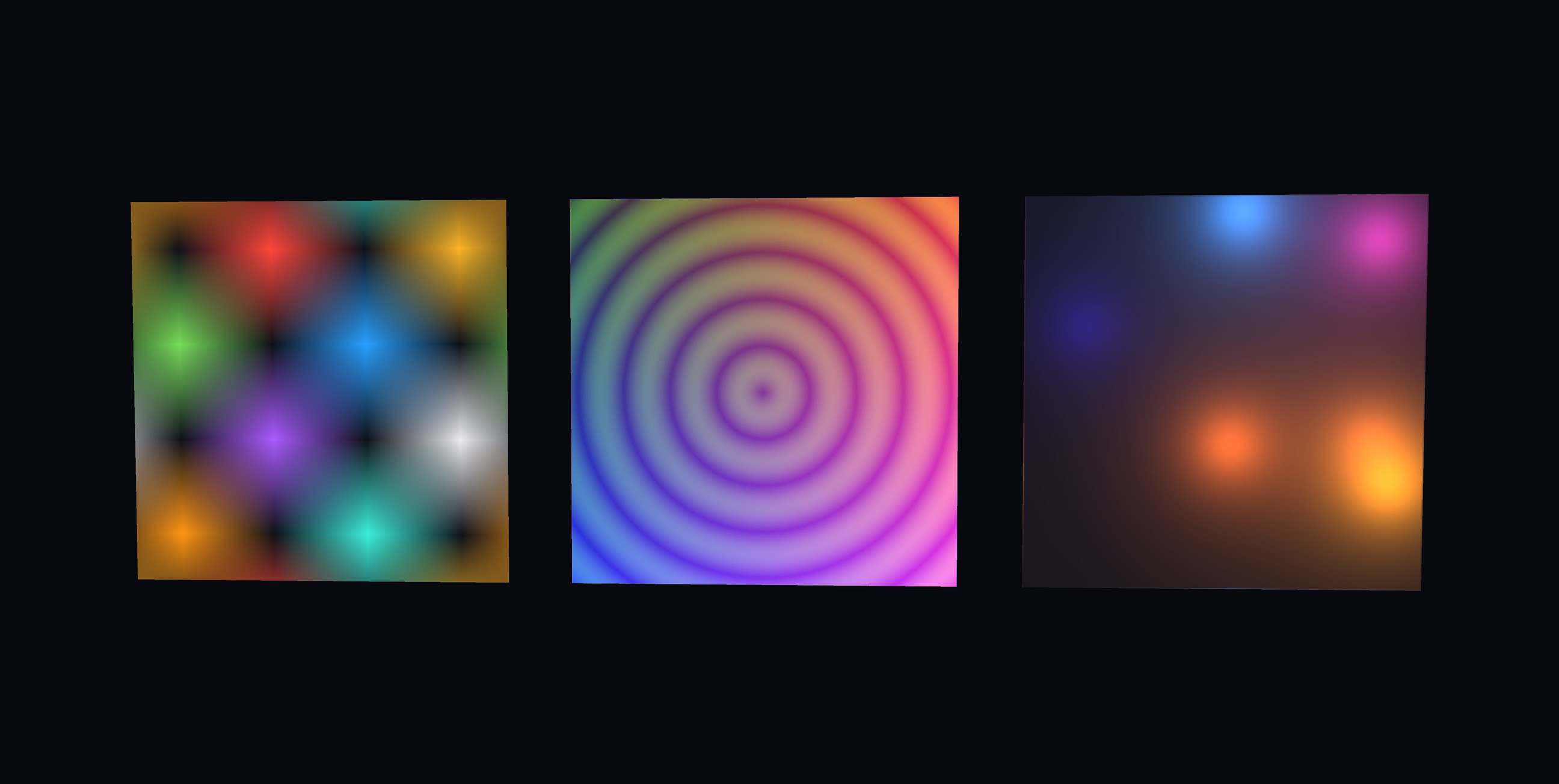
5 · A texture is an array of numbers
Left is sixteen pixels — sixty-four bytes of RGBA written as a literal and handed to
Texture.FromPixels. Middle is 256×256 filled in a loop. Right is thrown away and
rebuilt from a new seed every second and a half, and the demo prints what each rebuild cost. The
alternative is encoding a PNG in your own application so the renderer can immediately decode it
again, which for four 1024×512 maps is over a second of stall in a WebAssembly heap.
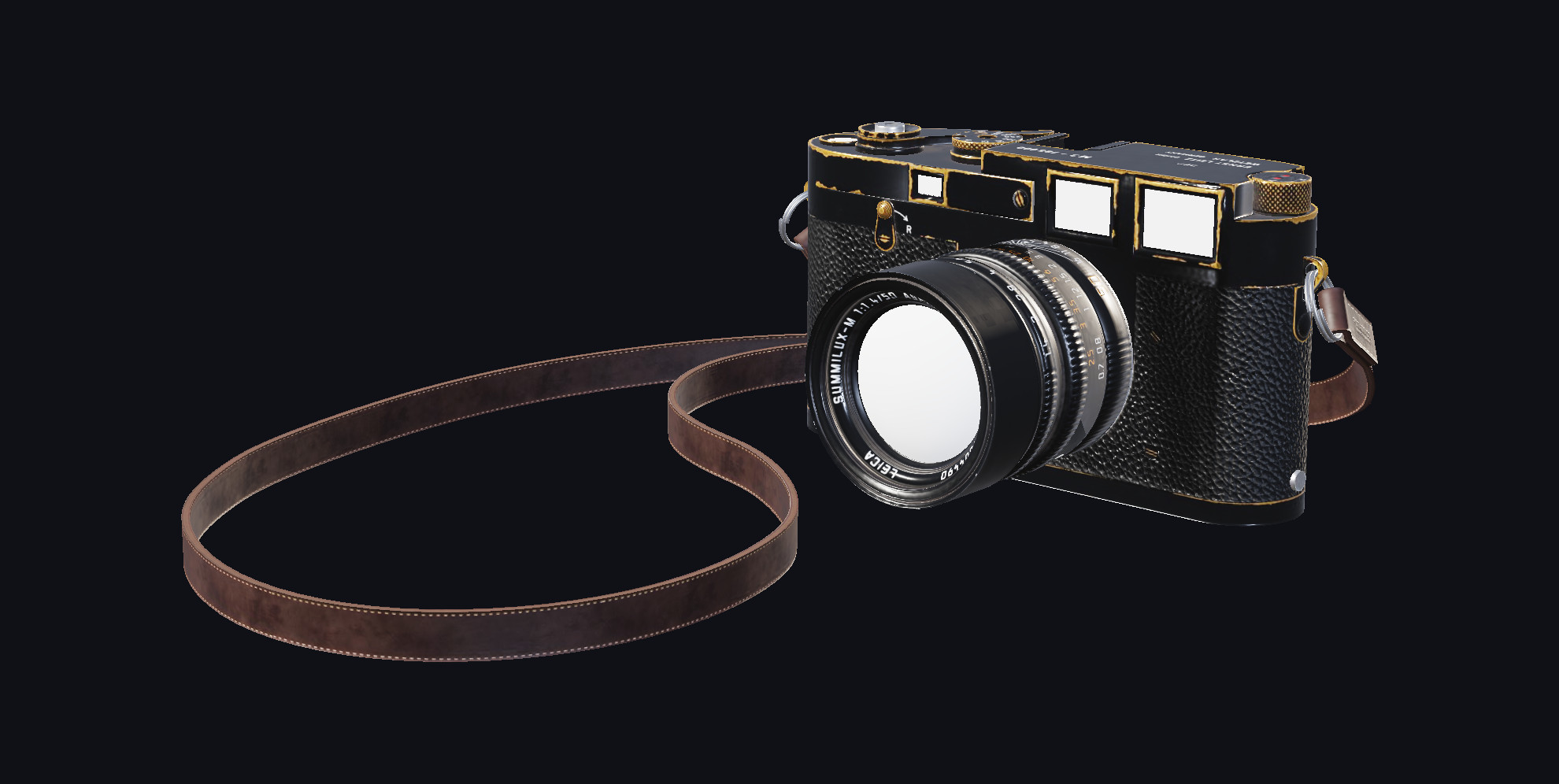
6 · Somebody else's model, exactly as it shipped
A CC0 camera from Poly Haven, modelled in Blender and baked to maps years before this renderer
existed: packed metallic-roughness with occlusion in the red channel, OpenGL-convention normal
maps, separate materials for body, lens and strap, and a node hierarchy that exists for rigging
reasons. GltfLoader.Load(bytes) maps all of it onto Material and leaves
the hierarchy alone. Exporters omit tangents unless asked, so the loader derives them — otherwise
every normal map in the wild would be quietly ignored.
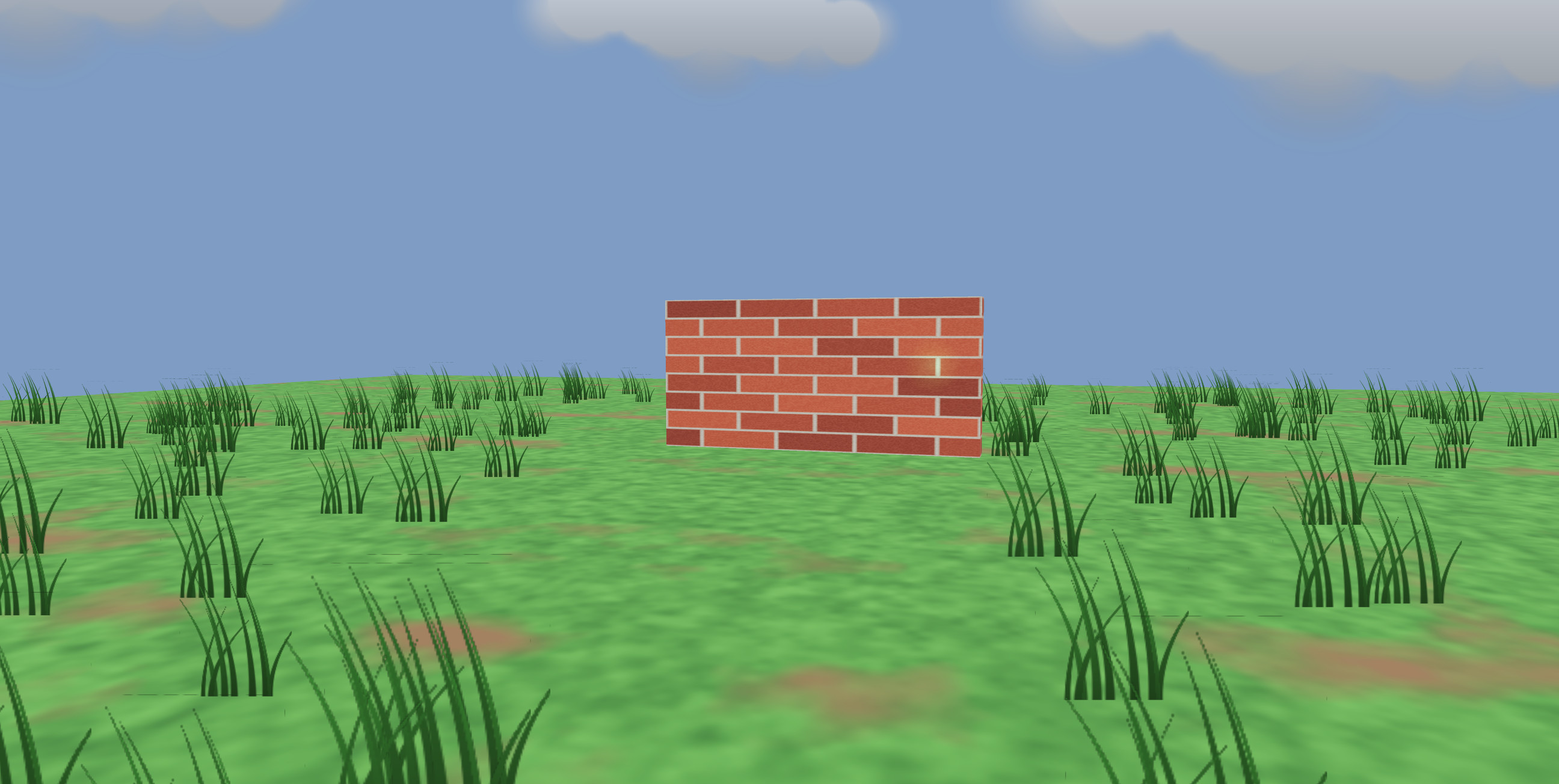
7 · Grass, cloud and a wall, out of quads
Two hundred and forty tufts and eight clouds, each one a SpriteNode — a quad that
turns to face the camera. A field of grass as geometry is millions of triangles for something you
only read as a shape; as sprites it is 240 four-vertex draws, and the alpha edge stays sharp where
geometry that thin would be eaten by the depth buffer. Size is in world units, so the far tufts
shrink like everything else. Behind the wall are two lamps: the depth-tested one disappears, the
one with DepthTest = false never does.
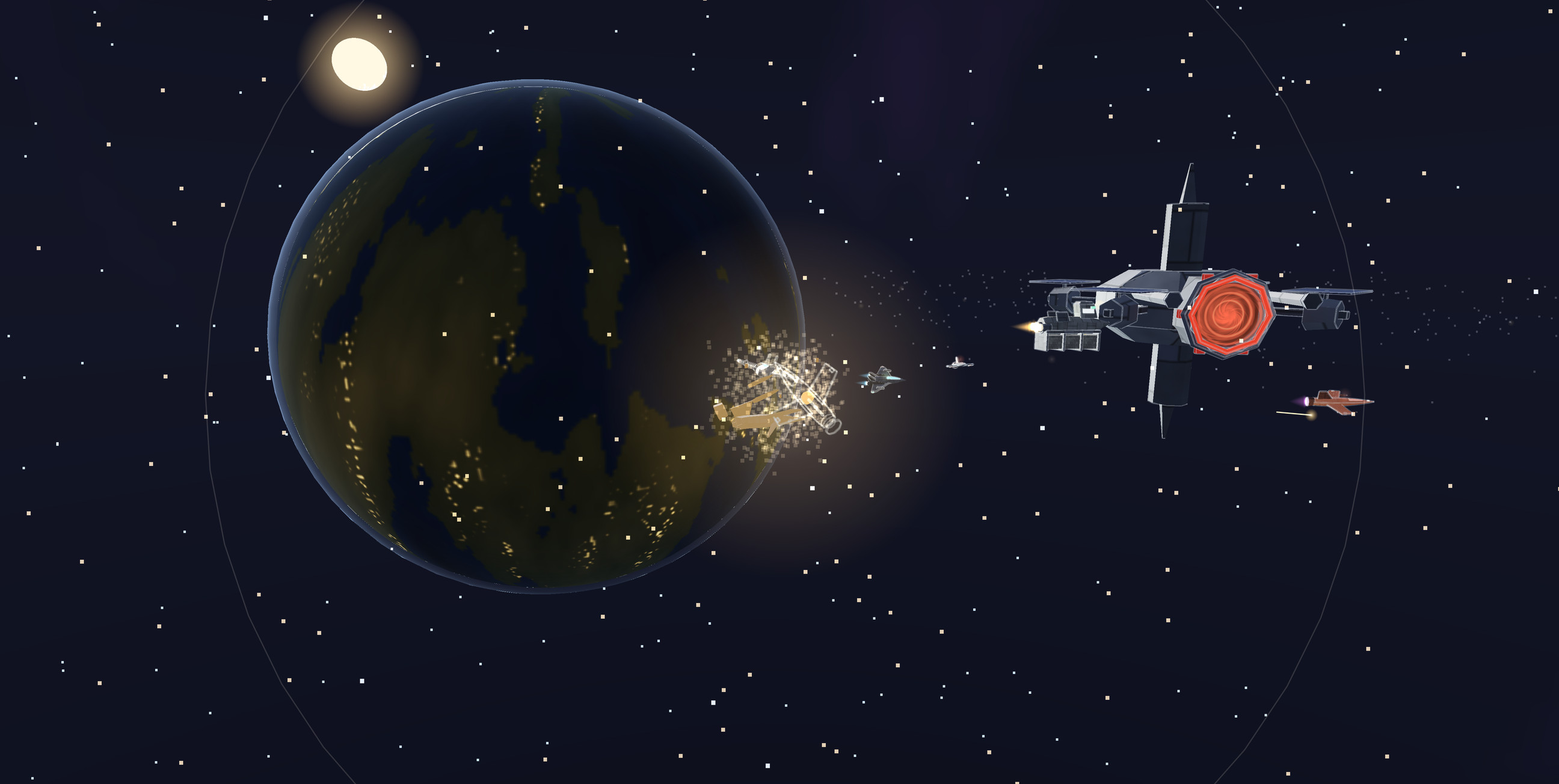
8 · Everything that is not a lit triangle
One frame of Contact, a sixty-second film in the demo. The stars are 1,660 points held at
two pixels each however far the sphere they sit on actually is. The panel lines are line segments
over the hulls; the glows, the fireball and the tracers are camera-facing sprites — the ships'
transponders draw over their own geometry, which is what keeps a hull visible once it is
a pixel wide. The debris is a point cloud scaled outward and the shockwave is a line ring, because
nothing here moves a vertex: every effect is a transform. The planet's cities are an emissive map
masked to its night side and the halo is a shell with a Fresnel rim. The sun is nine hundred
thousand units out and the near plane is at 5.
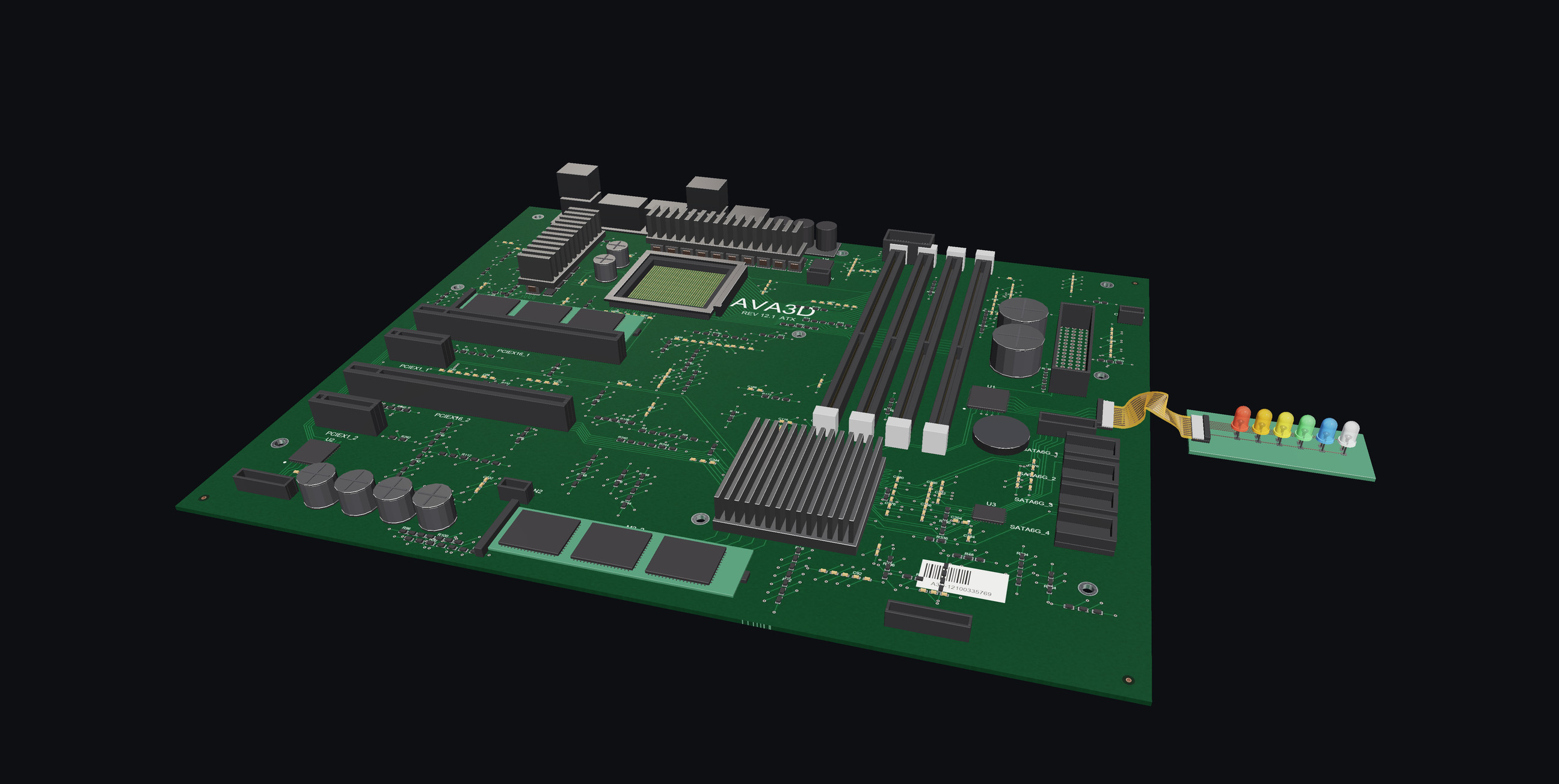
9 · Six hundred and ten nodes, and what a draw call costs
An ATX board generated by three scripts in this repository — every part placed from one table,
and the copper routed by a maze router over a one-millimetre grid, one net at a time, so no two
traces cross. 420 of the 610 nodes are chip resistors and capacitors sharing four meshes between
them, which is what instancing looks like coming out of a .glb: one upload, four
hundred matrices. The scene alternates between the file as written and the same parts merged per
material — 610 draws against 192, the same 47,596 triangles, and a picture you
cannot tell apart. The silkscreen is separate geometry lying in the board's own face, which is
the surface Material.DepthBias exists for.
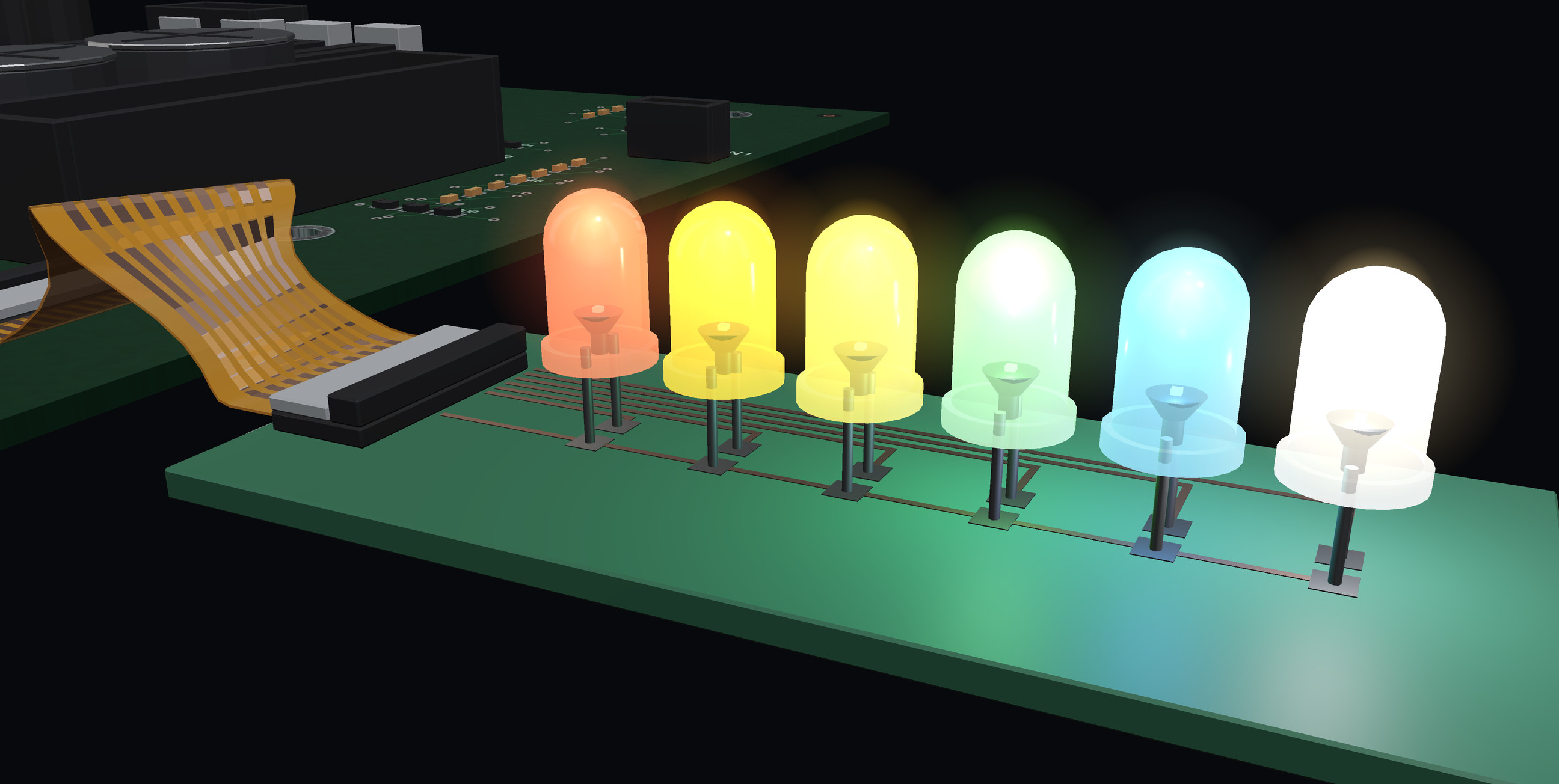
10 · Four things make a lamp look lit
The lens is transparent because the file says so — glTF alphaMode: BLEND at alpha
0.74, which the loader turns into Material.Blend with depth writing off, so a dome
does not hide its own far side. The die is emissive, and emission is added after lighting, so a
chip 0.44 mm across goes white-hot while the board keeps its own shading. The glare is two
additive SpriteNodes a lamp at RenderOrder = 1, because a renderer with
no post-processing has none of its own. And each lit lamp gets a real PointLight —
emission illuminates nothing, so without one a lamp is bright and the board under it is exactly
as dark as it was. Three of the six cast, and all six glow — a shot somebody framed rather than
a number the renderer imposed.
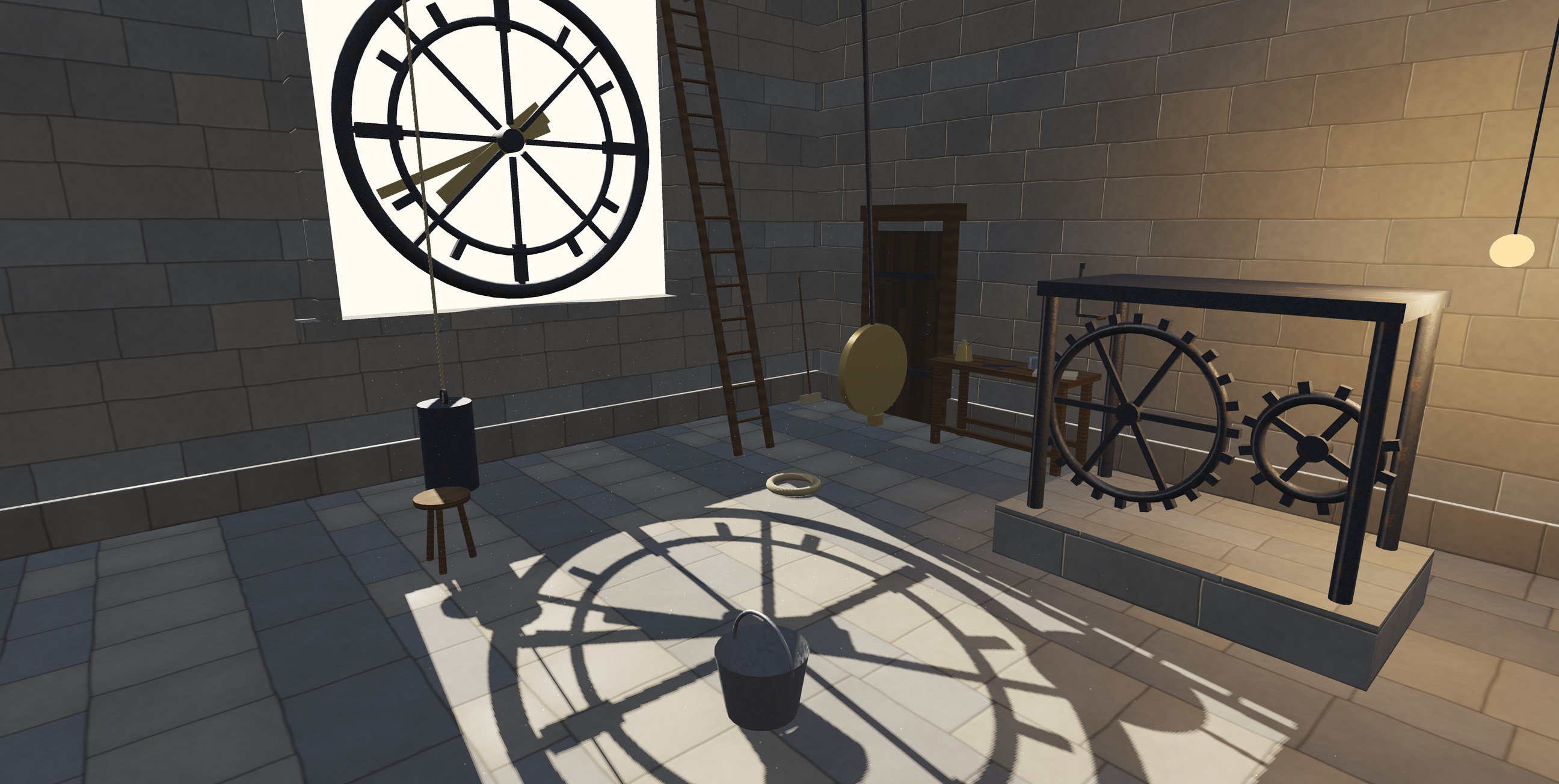
11 · The room draws itself on its own floor
One DirectionalLight with CastsShadows set, through one hole in one
wall. The scene is drawn once more from where the sun is, into a depth map fitted to what casts,
and every pixel asks that map whether something stood in the way — on Metal, Vulkan, OpenGL,
WebGL 2 and the CPU alike. The clock keeps time while it does it: the pendulum's shadow swings,
the minute hand drags its own across four metres of floor, and now and then a cloud goes over the
sun and the map is handed to the lamp above the wheels instead. This scene keeps to one map, and
Scene.ShadowCastingLight says which light holds it.
12 · 128,002 triangles, 126 draw calls, 120 fps
One Mesh instance on 125 nodes. GPU buffers are cached against mesh identity, so it
uploads once and draws 125 times. Rewrite the vertices and call InvalidateGeometry()
and it refills that one buffer instead. This is the scene behind every number in the table below,
and it ships in the demo so you can re-measure it.
13 · The same code in a browser tab
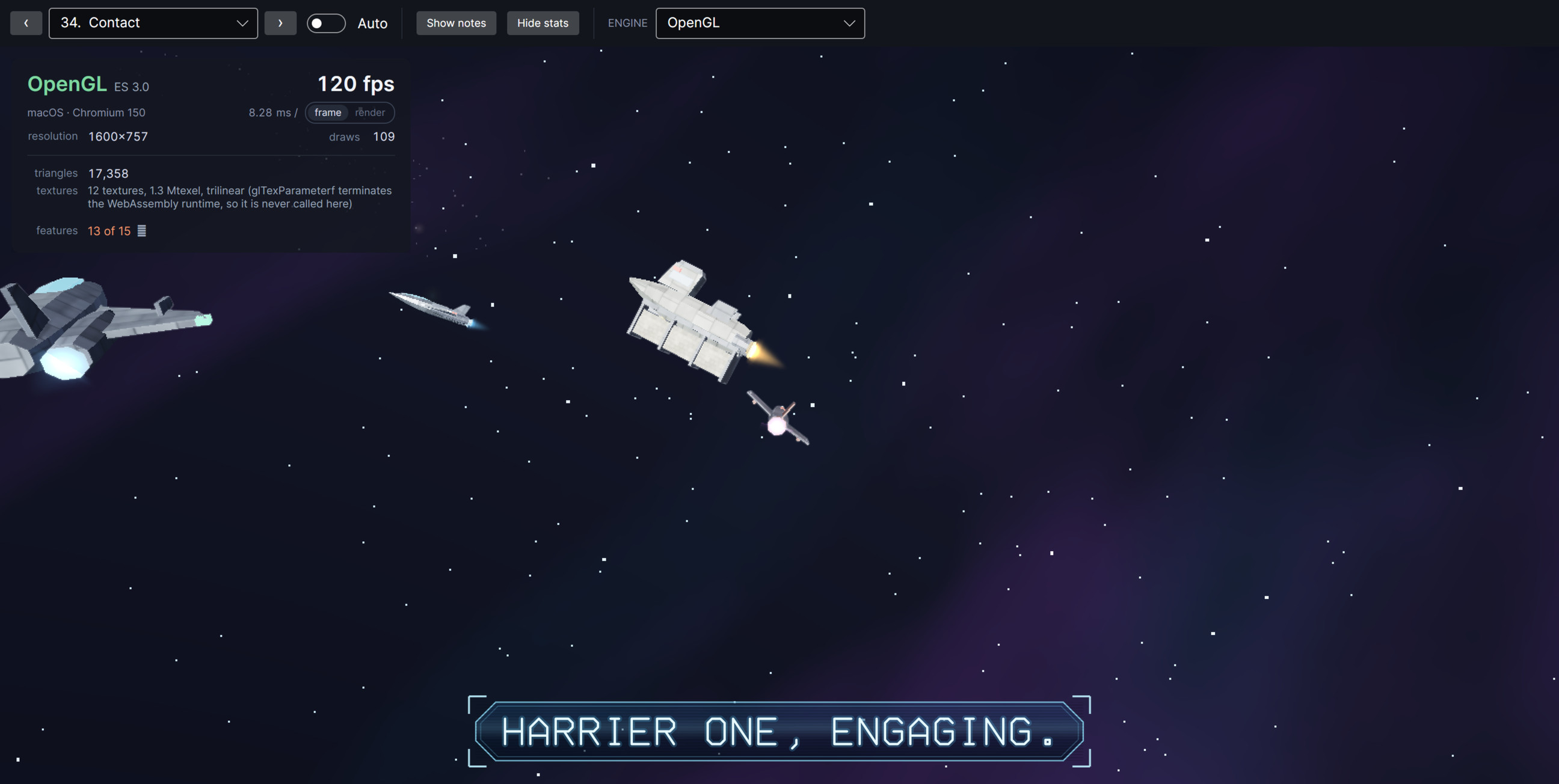
The film, in Chrome, on WebGL 2 — 109 draws and 17,358 triangles a frame with no plugin and no
separate build of the renderer. It goes through Avalonia's SkiaSharp graphics lease rather than
OpenGlControlBase, which does not exist on the web platform. Every feature the
panel lists, where until recently two of them were missing: anisotropic filtering and depth bias
were refused because their entry points resolved and then ended the process when called. That
turned out to be a fault in how the demo was assembled rather than anything about the web, and
the panel still names anything a renderer cannot do rather than quietly dropping it. The fix is
in 12.1.0-preview.4; an application built on preview.3 or earlier is still missing those two.
Run it yourself →
14 · And a picture even with no GPU at all
The fourth slide's scene again, in a window with no GPU context: the same PBR arithmetic per
vertex instead of per pixel, rasterised in managed code against its own depth buffer, in
horizontal bands across every core. So what is in front is in front, whatever order the draws
arrive in — and it carries only the base-colour map, which is seven of sixteen features and all
of them named in RenderInfo. What it gives up is anti-aliasing: it fills whole
pixels, so its edges are harder than the GPU backends'. Above four megapixels it also fills
fewer of them and stretches the result, which is what keeps a large window usable. What it does
not do is show nothing.
How it works, in one picture
You build a scene — nodes, meshes, materials, a camera — and change it whenever you like. Once a frame
Avalonia takes an immutable copy of it, hands that to whichever renderer this machine can actually give,
and gets back a picture it composites like any other control.
Two things fall out of that picture. The renderer is picked from what the host can give, so the same
binary is Metal on a Mac and WebGL 2 in a browser tab and you write neither — and where the host has none
to give, as with Vulkan on a Mac, the control makes its own device and changes over between frames. And
because what crosses back is a picture rather than a native child surface, clipping, opacity, z-order and
transforms all behave — by the time the compositor sees the 3D, it is already pixels.
Never written 3D code before? The 3D Guide is a book: eight chapters that start at
what a triangle is and end at what a frame costs, teaching the subject and using this API as the worked
example. Terms in the reference link into it.
Start reading →
What you get
The renderer is a runtime decision
A control library does not get to choose its host's graphics API, so this one asks. Metal, Vulkan,
OpenGL or the CPU, decided from what the graphics lease returns — and reported, with a reason, for
every option the platform cannot offer.
PBR that holds up indoors
The glTF 2.0 material model, each map with its own UV set. Two lights cast shadows at once, contact
occlusion darkens the gaps where furniture meets the floor, and linear HDR lets bloom follow real
brightness. Metals reflect an HDR image, and up to two rooms can each reflect their own.
Picking against triangles
Möller–Trumbore, rejected first by each node's bounding box. Geometry rather than pixels, so it works
identically on the GPU, on the CPU and in a browser where reading a pixel means a round trip.
A scene graph, not a mesh list
Nodes carry transforms and inherit their parents', so a CAD assembly stays one draw call per part and
identical geometry shares one upload. Mutate it freely on the UI thread; the control coalesces changes
into one immutable snapshot per frame.
Textures that fit in a WASM heap
Images stay encoded until a renderer wants them, then decode and upload two per frame. A scene appears
immediately and fills in, instead of allocating a hundred megabytes of RGBA before the first frame.
A HUD that follows the scene
Ordinary Avalonia controls placed at world positions — nameplates, callouts, target markers — with
anchoring, edge-clamping for anything off screen, and fading for anything the scene is in front of.
Avalonia still draws them, so text stays sharp and layout, bindings and input all keep working.
Textures that are programs
A material map computed by a few lines of SkSL with the scene's clock as an input, on any of four
map slots. A screen animates continuously instead of stepping through however many frames were
baked, and costs one texture however long it runs.
Freeware, including commercially
No fee, no seat count, no registration, no attribution requirement in your application. Ship it inside
something you sell. The demo's source is yours to copy outright.
Measured, not estimated
All six figures are the same scene: 128,002 triangles in 126 draw calls, the "Stress test" scene in the
demo. Reproduce them by opening that scene and reading the counter — and in a browser, by adding
?scene=stress to the URL.
Platform
Renderer
Frames per second
Note
macOS, Apple M3 Max
Metal
120.0
Avalonia's default on macOS
macOS, Apple M3 Max
OpenGL 4.1
120.2
host started in OpenGL mode
macOS, Apple M3 Max
Vulkan, via MoltenVK
120.0
chosen at runtime, no restart
Chrome, WebAssembly
WebGL 2
120.0
same binary, no plugin
iOS 26.5 simulator
Metal
60.1
vsync-capped at 60
macOS, Apple M3 Max
Skia, CPU
55.1
the fallback, across sixteen cores
The first five are frame-rate limited rather than GPU limited — the renderer is waiting for the display,
not the other way round, and the demo's panel now says so in the same breath: 0.52 ms of work inside an
8.33 ms frame on Metal, 1.07 inside the same frame on OpenGL. The CPU figure is the honest one: it is
what a host with no GPU to lease gets, and the reason the GPU paths exist.
Quick start
1 · Add the package
dotnet add package Ava3DControl --prerelease
The flag is required while this is a preview. Pin 12.1.0-preview.14 exactly if you would
rather nothing moved under you.
var scene = new Scene();

scene.Children.Add(new MeshNode(
    Primitives.Sphere(0.5f),
    new Material
    {
        BaseColor = new Vector4(1f, 0.77f, 0.34f, 1f),
        Metallic  = 1f,
        Roughness = 0.25f
    }));

View.Scene = scene;
That is the whole thing. The camera frames the scene by itself, orbit, pan and zoom are already wired
up, and the renderer is whichever one the platform can actually give you.
Without it the WebAssembly runtime aborts with no exception and no message when the renderer makes its
first GL call: the P/Invoke trampolines for functions taking several floats are generated at native link
time, and that link only happens when this is set.
Only if you want Vulkan there: a Mac renders through Metal by default and is welcome to carry on. The
package carries MoltenVK, which is what Vulkan is on a Mac — a machine that already has it, from Homebrew
or the Vulkan SDK, needs nothing added. With neither, nothing breaks: Vulkan reports itself unavailable,
names what is missing, and the control keeps drawing with Metal.
What it does not do
A short list is worth more than a long one you have to discover for yourself.
Two lights cast shadows at most. As many lights as you like plus an environment,
forward-shaded, single pass — but only two of them get a shadow map, chosen by priority, and there are
no cascades, so a sun over a whole town spreads one map across all of it. More than sixteen lights is
not advised either way, because the CPU renderer pays for each one per vertex.
Multisampling is not everywhere.SampleCount smooths edges on Metal and on
OpenGL, which includes the browser; Vulkan and the software renderer take RenderScale
instead, which renders larger and averages down and costs more to do it.
No global illumination. Contact occlusion works from what is on screen and cannot see
past the edge of the frame, and a room probe is an image you supply rather than a reflection the scene
captures of itself as it changes.
Skinning is solved on the CPU. A character that is moving re-uploads its vertices
every frame, and morph targets carry positions only.
No transparency sorting. Alpha masking works; blended transparency is not ordered.
Only binary glTF. A multi-file .gltf needs a URI resolver the browser
makes awkward. Pack it to a .glb first.
Android is not verified. The head builds and the GL path is the same one the browser
uses, but nobody has run it on a device yet, and an unverified claim is not a feature.
OpenGL on iOS renders nothing. An upstream defect in Avalonia's iOS GL surface, not a
device limit. Metal is the working GPU path there and the control picks it automatically.
Vulkan on a Mac is not a speed-up. It runs on Metal, through MoltenVK, so it costs a
little more than the Metal renderer does — on the scene measured above, 0.28 ms a frame against 0.20.
Choose it to run Vulkan code paths on a Mac, not to go faster.